Communication is the backbone of any good project manager’s skill set. Without clear and seamless collaboration between team members, clients, and other stakeholders, projects easily fall into confusion, delays, and budget overruns. As someone new to project management, getting a handle on communication early on will be crucial to your success. In this article, I want to provide an overview of project communication basics that every beginner should know.
Different Types of Communication in Projects
Project communication comes in all different shapes and sizes. Here’s a quick rundown of what you can expect:
- Chatting with your team: The day-to-day, informal communication is very important! Slack messages, quick check-ins, and office conversations keep everyone on track.
- External relationships: You’ll need to open and engage in communication with clients, vendors, and other people outside your core team. Status reports and presentations: These periodic formal updates are crucial for keeping external stakeholders informed. Don’t skip them!
- Impromptu calls and emails: Informal catch-up sessions allow you to touch base and identify issues early.
- Written communication: Emails, documents, charts, and schedules help capture important info for reference.
- Verbal communication: Both structured meetings and casual chats have value.
While strong communication skills are foundational, you also need tools to structure and capture all these conversations. Charts like organization charts, Kanban boards, Gantt charts, and more allow you to coordinate workflows and responsibilities. So, let’s go over some of the essential project management tools for communicating!
Key Project Management Tools
Beyond strong communication skills, having the right tools to structure information is invaluable for any project manager. Let’s look at some of the most widely known tools:
- Responsibility matrix: According to Acqnotes, this “is displayed as a chart that illustrates the interaction between work packages that need to be done and project team members.”1 You can use this grid to assign tasks and make sure all bases are covered!
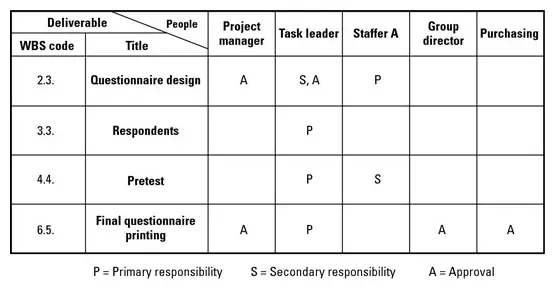 Graphic courtesy of Acqnotes
- Work breakdown structure: To quote ProjectManager, “A WBS can be represented as a list, a tree diagram, a spreadsheet or a column on a Gantt chart.”. Breaking the big picture into smaller deliverables makes every step concrete and achievable!
- Gantt charts: These are “a dynamic bar chart that shows the project schedule on a timeline.”2 You can visually plan and track tasks, timelines, and milestones in one view!
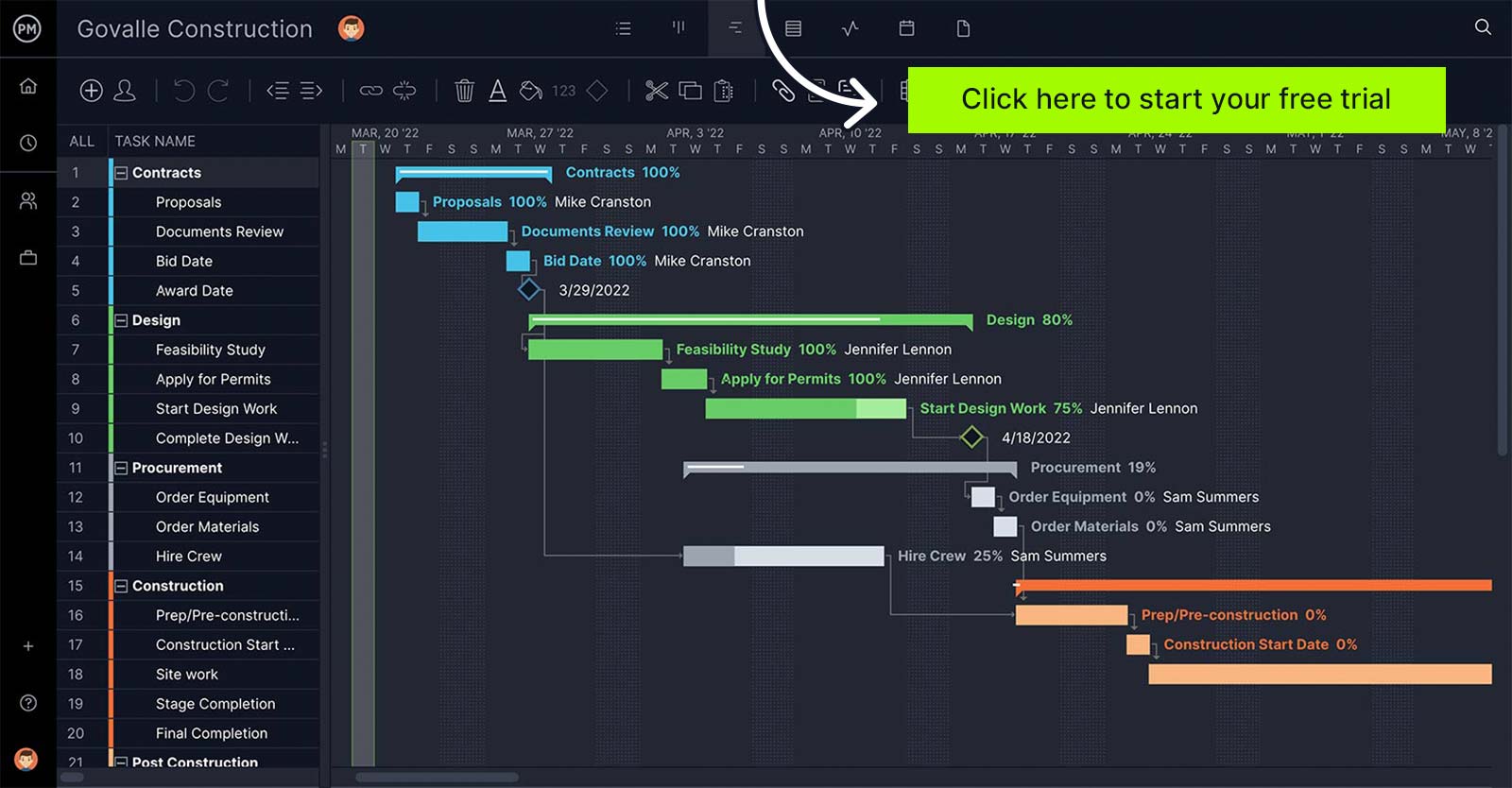 Graphic courtesy of ProjectManager
- Flow charts: These are step-by-step diagrams to map workflows and processes clearly.
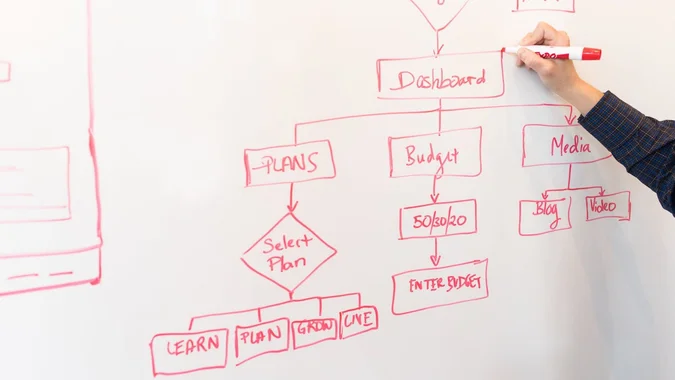 Graphic courtesy of Entrepreneur
Leveraging tools like these will help you take vague concepts and transform them into actionable plans. I recommend starting with high-level organization and responsibility planning, then mapping out the smaller workflows of your project. This layered approach sets you up for success!
Popular Project Management Software
 Graphic created by Dominique Louangrath
Now that we’ve covered some of the most used tools in management, let’s look at some actual software to utilize them in! Here are some popular options:
- Asana: This work management platform helps teams track tasks, deadlines, and goals. It offers easy collaboration features like comment threads and file sharing.
- Trello: Manage workflows visually via customizable Kanban boards. Move cards from “To Do” to “Done” as you complete work.
- Slack: This real-time messaging app is perfect for team communication and transparency. Integrate other apps for max efficiency.
- Zoom: The leader in modern video conferencing allows easy meeting scheduling and screen sharing.
- Microsoft Teams: Built for collaboration, Teams provides chat, video meetings, file storage, and app integration.
- GanttPro: Specialized online Gantt chart software with scheduling features, task dependencies, and milestones.
With so many options, think through your team’s needs before choosing solutions. I recommend trying free versions and getting user feedback. The goal is technology that enhances your communication and workflows rather than hindering them.
Choosing the Right Software for Your Needs
So, how do you pick which tools will be best for you? Start by looking at the basics of your team - how big it is, what your members may already prefer, and how they work. Evaluate free versions versus paid plans, weighing must-have and nice-to-have features. The goal is to find solutions that integrate seamlessly with your existing tools to enhance communication. I’d recommend taking advantage of those free trials to get hands-on with a few options, seeing what works best. And most importantly, getting feedback directly from your team members is invaluable before deciding!
Conclusion
At the end of the day, project management is about people working together smoothly. With clear ways to chat, useful planning tools, and the right software powering it, you can assemble the dream team! The goal of everything I shared is to help you bring people together to accomplish great things. Focus on open communication, smart tools, and empowering solutions. Do that, and you and your team will do amazing work!
References
Banner image created by Dominique Louangrath