Introduction
Entering the world of project management as a beginner is thrilling and intimidating. Project managers are given the responsibility of transforming ideas into reality, organizing teams, and ensuring projects are completed on time and within budget. An important tool to utilize is a well-constructed project schedule. In this blog post, we will dive into the significance of project schedules for beginners and offer valuable insights on how to access templates to create schedules efficiently.
The Importance of Project Schedules for Beginners:
Before we explore templates and practical tips, let’s understand why project schedules are crucial for beginners in project management.
Organization and Structure:
Project schedules provide the much-needed organization and structure for a project. They break down complex projects into manageable tasks, making it easier to track progress and allocate resources effectively.
Time Management:
As a beginner, mastering time management can be a significant challenge. Project schedules enable clear deadlines for tasks, ensuring the project stays on track and avoids unnecessary delays.
Communication:
Schedules act as a communication tool for the team and stakeholders. They provide a clear timeline of what to expect, making it easier to coordinate efforts and manage expectations.
Risk Management:
Identifying potential risks and mitigating them is a crucial part of project management. A well-structured schedule allows one to foresee potential roadblocks and plan accordingly.
Accessing Project Schedule Templates:
Now that the importance of project schedules is understood, let’s explore how to access templates that create schedules efficiently.
Microsoft Excel:
Microsoft Excel is a versatile tool commonly used for project scheduling. It offers various built-in templates specifically designed for project management. To access these templates:
- Open Microsoft Excel.
- Go to the “File” menu.
- Select “New.”
- Search for “Project Schedule” or “Gantt Chart” templates in the available templates.
- Choose a template that suits the project’s needs and customize it accordingly.
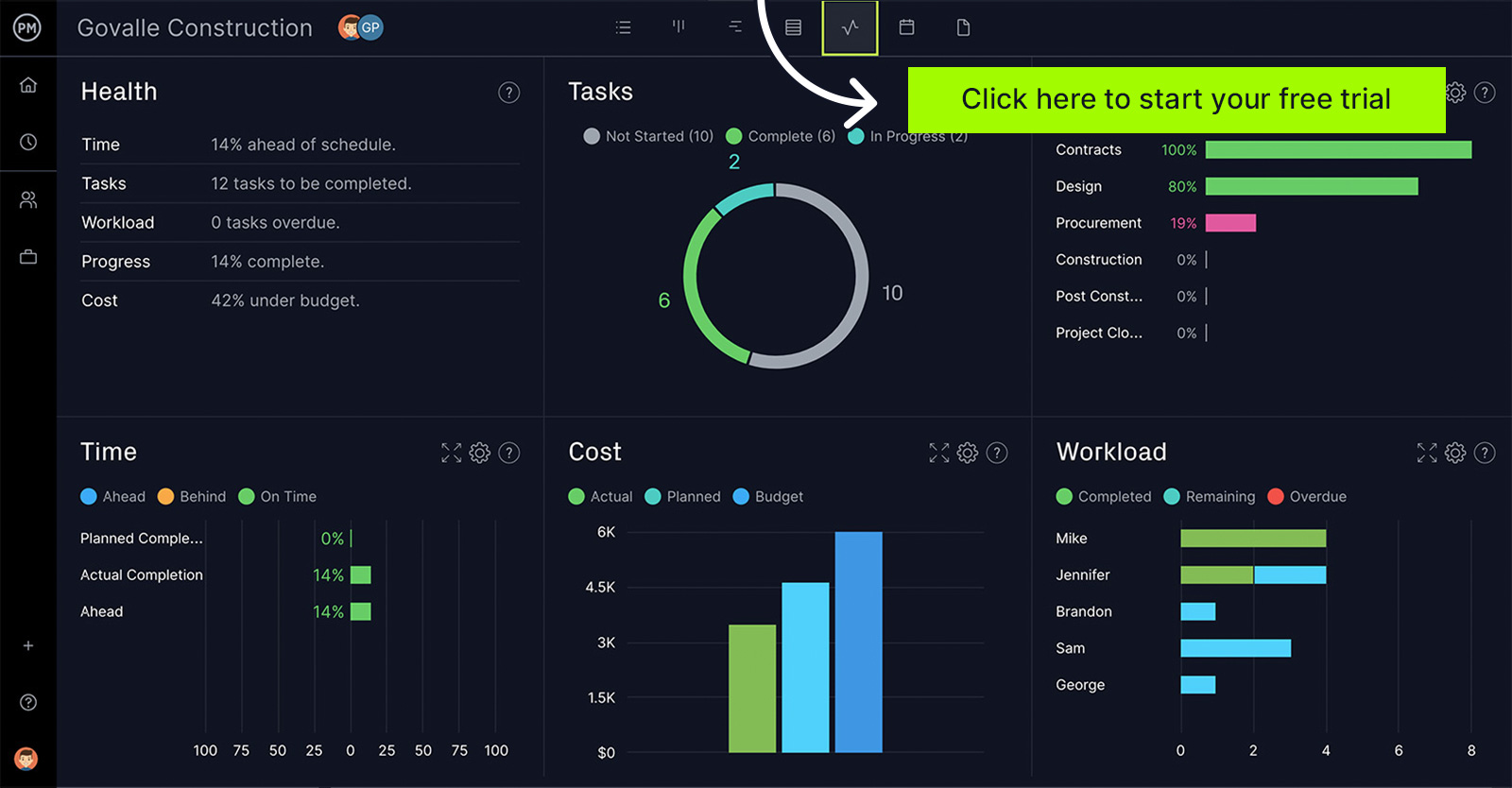 Graphic courtesy of ProjectManager
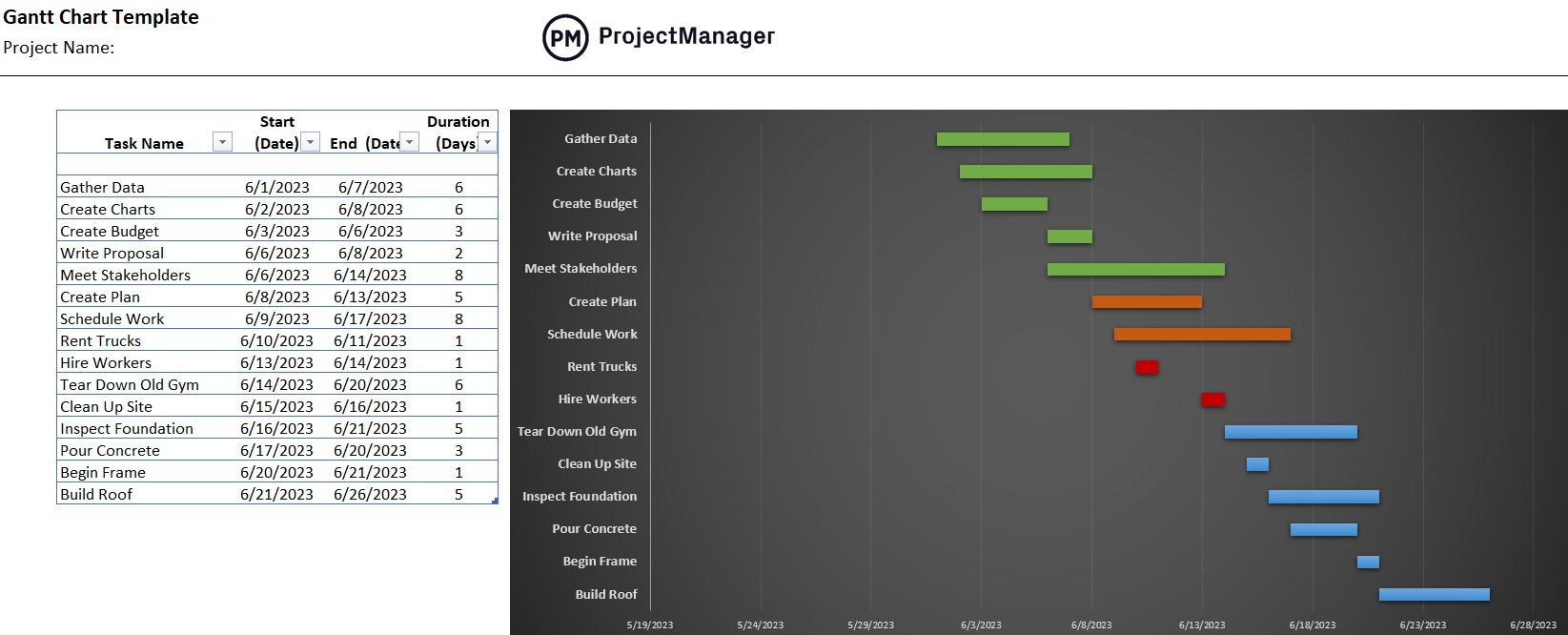 Graphic courtesy of ProjectManager
Online Project Management Tools:
Many online project management tools like Asana, Trello, and Microsoft Project offer templates that are easy to use, even for beginners. These tools provide a user-friendly interface and pre-defined templates to modify according to the project requirements.
Project Management Software:
Project management software like Microsoft Project, Smartsheet, and Monday.com offers extensive project scheduling features. They come with pre-built templates and provide advanced functionalities for tracking progress, resource allocation, and collaboration. While these tools might have a learning curve, they are worth exploring while progressing through a project management journey.
Dedicated Project Management Websites:
Several websites are dedicated to project management resources, including free project schedule templates. Websites like ProjectManager.com, Template.net, and Vertex42 offer a wide range of templates to download and use for projects.
Custom-Made Templates:
If there are specific project requirements and the project requires a personalized template, consider creating the schedule from scratch. Use the basics taught in this blog post and customize it to fit the project’s unique needs.
Choosing the Right Project Schedule Template:
Choosing the right project schedule template is crucial for successful project management. Here are some factors to consider:
Project Type:
The type of project management will influence the chosen template. Some templates are more suitable for construction projects, while others are designed for software development or marketing campaigns. Select a template that aligns with the nature of the project.
Complexity:
Consider the complexity of the project. A basic Gantt chart might suffice for simple projects, while complex projects may require a more detailed template with multiple task dependencies and resource allocation.
Team Size:
The size of the team can also impact the choice of template. When working with a large team, it may be necessary to have a template that facilitates team collaboration and resource management.
Project Duration:
Short-term projects and long-term projects have different scheduling needs. Ensure that the template chosen accommodates the duration of the project.
Customizing the Project Schedule Template:
Once the template has been selected, it’s essential to customize it to meet the project’s specific requirements. Here are some steps to help with customization:
Define Project Scope:
Clearly define the scope of the project. Break it down into individual tasks or milestones that need to be completed.
Set Task Dependencies:
Identify task dependencies to establish the order in which tasks should be completed. Some tasks may need to be finished before others can start.
Assign Resources:
Allocate resources to each task, including team members, equipment, and materials. Ensure that the necessary resources are available when needed.
Estimate Task Durations:
Estimate the duration of each task. Be realistic in the estimates and consider factors like team productivity and potential delays.
Add Milestones:
Include project milestones to mark significant achievements or deadlines. Milestones serve as checkpoints to measure progress.
Review and Update Regularly:
The project schedule is not set in stone. It’s crucial to review and update it regularly as the project progresses. Adjust task durations, resource allocations, and deadlines as needed.
To ensure the project schedule serves its purpose effectively, here are some best practices to follow:
Involve Stakeholders:
Engage with stakeholders to gather their input and expectations. This helps in creating a more realistic and aligned project schedule.
Keep It Simple:
Avoid unnecessary complexity. A clear and simple project schedule is easier to understand and manage.
Monitor Progress:
Regularly monitor and track progress against the schedule. Identify any deviations and take corrective actions promptly.
Communicate Changes:
Whenever changes are made to the schedule, communicate them to the team and stakeholders promptly. Transparency is key to successful project management.
Learn from Experience:
After completing a project, review the schedule and assess what worked well and what didn’t. Use these insights to improve scheduling skills for future projects.
Conclusion
As a beginner in project management, access to project schedule templates is invaluable. These templates provide a solid foundation for organizing, managing, and tracking projects effectively. By choosing the right template, customizing it to fit the project’s needs, and following best practices, anyone will be well on the way to becoming a successful project manager. Remember that project management is a continuous learning process, with dedication and practice, continuing to refine scheduling skills, anyone can excel in the role of project manager.
References:
- “Best Project Timeline Software of 2023” [project_management] (https://project-management.com/project-timeline-lp/?utm_source=google&utm_medium=cpc&utm_term=project%20timeline%20template&utm_content=c&network=g_T1&utm_campaign=13874709578&gclid=CjwKCAjw4P6oBhBsEiwAKYVkqy-iUtyWi3xa-pUQaTlS3h0V9aWRfou-6OKUs_-NYYZjO_LEyJswDxoCiGwQAvD_BwE)
- “12 Best Project Scheduling Templates for Excel” [ProjectManager] (https://www.projectmanager.com/blog/project-scheduling-templates)
- “Project Management” [ProjectCub!cle] (https://www.projectcubicle.com/project-scheduling-steps/)